This guide covers a reachable grille and accessible dust, with the power safely off. If the unit includes a light or humidity sensor, some parts may need dry cleaning only. A fan that buzzes or stops moving air after cleaning may need repair.
Step by step
- Turn off the correct breaker and confirm the fan and any attached light have no power. Use a stable step stool on a dry floor and stop if the grille is out of safe reach.
- Follow the model's directions for lowering the grille. Support it with one hand as you release any clips. If wires or an unfamiliar connector prevent safe removal, leave the part connected and follow the manufacturer's service instructions.
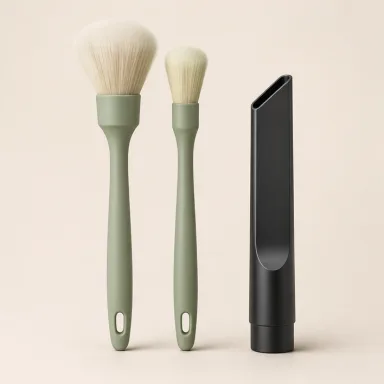
- Vacuum the grille with a brush attachment. Hand-wash a plain removable grille only if it is approved for washing. Vacuum exposed dust inside the housing only where the manual permits, without touching wiring or adjusting the motor.
- Reinstall the dry grille, get off the stool and restore power. Confirm that the fan runs normally. If airflow remains weak or the housing is damp, arrange an inspection of the fan and duct.
Is turning off the wall switch enough?
Turn off the relevant breaker before removing a grille or reaching inside, as fan units can have multiple controls or automatic modes.
Reference · Broan-NuTone fan installation and care instructions